How Has Digital Illustration Transformed Artistic Creation?
The transition from traditional mediums to digital platforms represents a paradigm shift in artistic creation, fundamentally altering the artist's workflow and expressive potential.
This evolution is driven by the convergence of sophisticated software, pressure-sensitive hardware, and powerful computing, enabling unprecedented precision and experimentation. Digital illustration is not merely a technical substitute for physical media; it constitutes a distinct discipline with its own methodologies, aesthetics, and theoretical considerations. The core of this discipline lies in the strategic application of specific digital methods to solve visual problems, a process that demands both technical mastery and artistic vision. Its impact spans commercial advertising, scientific visualization, and contemporary fine art. The methodologies employed are defined by the interplay between software capabilities, input devices, and the foundational data structures of the digital image itself, which we will now explore in detail.
Vector versus Raster: A Foundational Duality
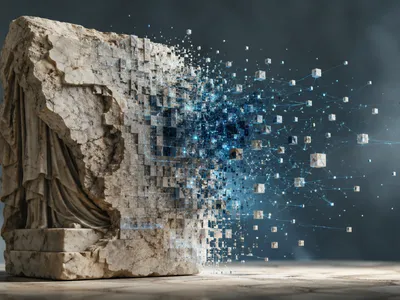
This fundamental choice dictates the artist's entire approach, from initial sketch to final output scalability. Raster-based imaging, the older of the two technologies, constructs images from a grid of individual pixels, each holding color information. This method is inherently resolution-dependent, meaning enlarging the image can lead to a loss of clarity, visible as pixelation. Conversely, vector graphics utilize mathematical equations to define points, lines, curves, and shapes. This mathematical foundation allows vector images to be scaled to any size without any degradation in quality, a critical advantage for logos and large-format prints. The vector approach facilitates infinite editability of individual shapes.
The choice between these paradigms is not simply technical but aesthetic and procedural. Raster software, such as Adobe Photoshop or Procreate, excels at producing painterly, textured, and photorealistic work where nuanced color blending is paramount. Its pixel-based nature mimics traditional media like oil or watercolor. Vector software, like Adobe Illustrator or Affinity Designer, is supreme for graphic design, typography, and technical illustrations requiring crisp, clean lines and geometric precision. Modern workflows often invlve a hybrid methodology, where initial concepts may be sketched in raster for organic feel, then refined or outlined in vector for scalability and clean execution. The following table elucidates the primary operational distinctions:
| Characteristic | Vector Graphics | Raster Graphics |
|---|---|---|
| Core Foundation | Mathematical paths (points, curves) | Pixel grid (bitmap) |
| Scalability | Infinitely scalable without quality loss | Resolution-dependent; enlarging causes pixelation |
| Primary Use Cases | Logos, icons, typography, technical drawings | Digital painting, photo editing, textural artwork |
| File Size | Generally smaller, dependent on complexity | Larger, dependent on pixel dimensions and color depth |
| Dominant Software | Adobe Illustrator, CorelDRAW, Inkscape | Adobe Photoshop, Corel Painter, Procreate |
The Digital Painter's Toolkit
The efficacy of digital illustration is directly tied to its tools, which have evolved into complex ecosystems. At the heart lies the graphics tablet and its modern counterpart, the pen display, which translate hand motion into digital data with pressure, tilt, and rotation sensitivity.
Software constitutes the second, equally critical pillar. Industry-standard applications like Adobe Photoshop and Corel Painter offer vast, customizable brush engines that simulate physical media with astonishing accuracy, from the viscosity of oil paint to the transparency of watercolor. These engines allow artists to manipulate variables like scatter, texture, dual brushes, and wet edges, creating unique digital tools. Specialized software like Blender or ZBrush extends this into three-dimensional space. Beyond brushes, a comprehensive toolkit includes non-destructive adjustment layers, masking, and advanced selection tools, enabling a flexible, iterative process. The choice of tools often follows a hierarchical logic, as outlined below:
- 🖊️ Primary Input Devices: Graphics tablets, pen displays, and styluses with pressure sensitivity.
- 💻 Core Software Suites: Raster-based (e.g., Photoshop, Procreate) and vector-based (e.g., Illustrator, Affinity Designer) applications.
- 🧩 Software Extensions: Custom brush sets, texture packs, and scripted actions that streamline complex tasks.
- ⚙️ Computational Foundation: Sufficient GPU and CPU power for real-time rendering of high-resolution canvases and complex effects.
What Supports a Reliable Digital Illustration Workflow?
This foundation begins with color management, a systematic approach to ensuring color consistency from monitor to print or screen. It involves calibrating hardware, working in appropriate color spaces like Adobe RGB or ProPhoto RGB for high-fidelity work, and understanding rendering intents for final output. A failure in color management can result in muted prints or inaccurate client presentations. Secondly, file organization and asset management are paramount in collaborative or long-term projects. This includes logical naming conventions for layers and files, the use of non-destructive smart objects, and maintaining a well-structured library of brushes, textures, and reference images. Efficient asset management drastically reduces production time and mitigates the risk of errors.
Computational performance forms the third pillar of this foundation. The ability to work fluidly with high-resolution canvases, numerous layers, and complex brush strokes depends on a system with sufficient RAM, a powerful GPU, and fast storage. Artists must understand the technical limitations of their software and hardware to optimize performance, such as using proxy files for large compositions or merging layers strategically to free up memory. Furthermore, a disciplined approach to version control—saving incremental versions of a file—provides a safety net against software crashes or undesirable creative decisions, allowing for regression to earlier states.
Finally, the conceptual and preparatory stages, though less tangible, are indispensable. This involves comprehensive research and reference gathering, which informs anatomical accuracy, material properties, and lighting scenarios. Thumbnail sketching for composition, value studies, and color palettes are pre-illustration steps that solve major artistic problems before committing to a final piece. Neglecting this foundational planning often leads to insurmountble issues in later stages, requiring costly reworks. In essence, the most successful digital illustrators are those who master not only the application of paint and pixels but also the meticulous, behind-the-scenes systems that support a reliable, scalable, and professional creative practice from inception to delivery.